Project manager · Budget tracking
Track what it costs against what you estimated
Room by room, as the invoices arrive. The useful part is not the total — it is knowing which room moved, while there is still something you can do about it.
Free to try — no sign-up, nothing to install. Prefer a spreadsheet? →
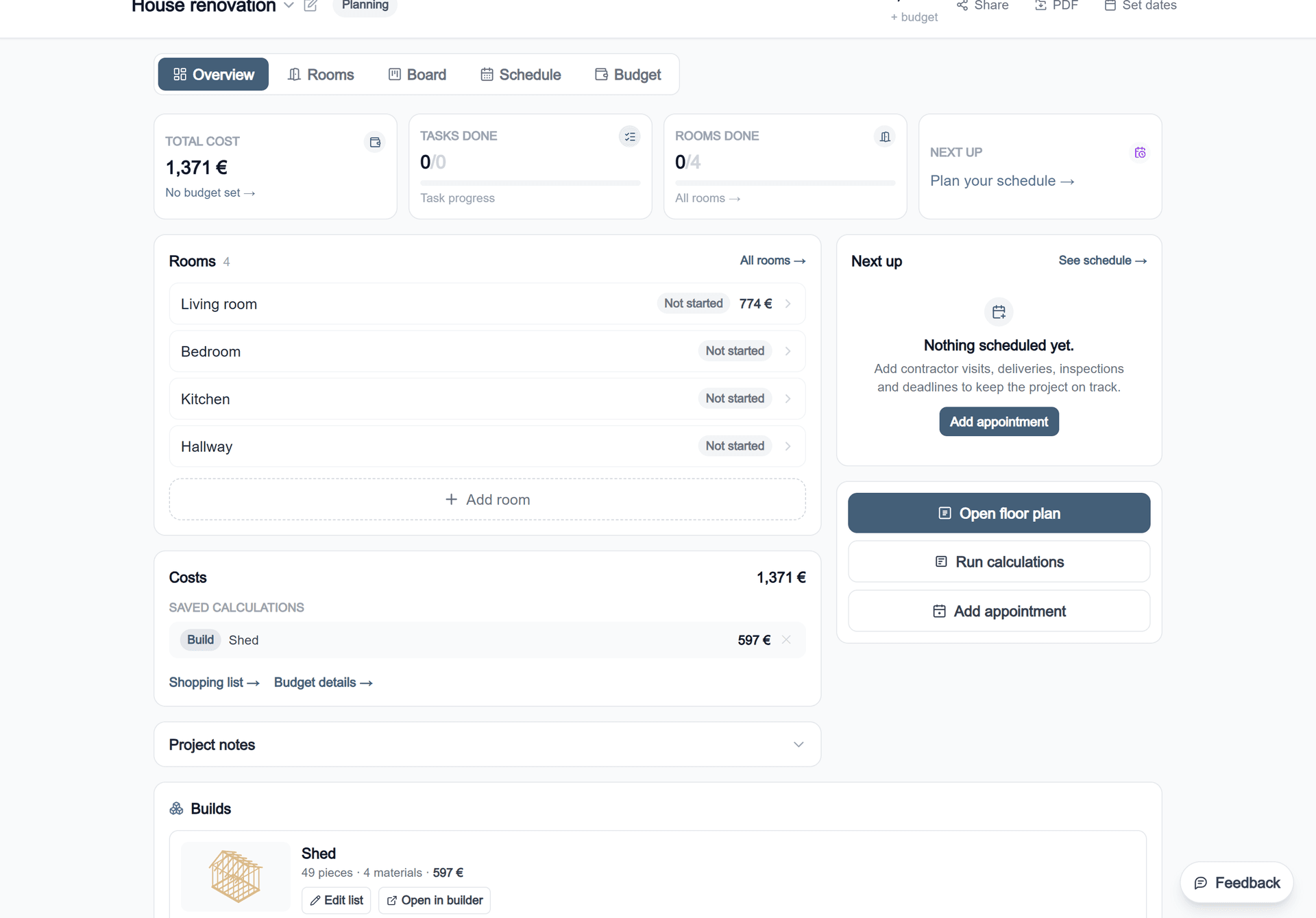
A tracker is only as good as what it tracks against
This is the part worth being blunt about. Logging invoices is easy, and several things do it. The question is what the invoice is being compared with.
If the estimate was a number somebody typed in at the start, the variance column measures how good that guess was — which is interesting and not actionable. Here the estimate came from the room: its floor area, its net wall area, its perimeter, run through the material calculations and totalled. When the room changes, the estimate changes with it. The variance is then telling you something about the job rather than about the guess.
Three numbers, kept apart
| Estimate | What the work should cost, given the quantities the measurements produce. |
| Budget | What you have decided to spend. Often less than the estimate — that gap is a decision, not an error. |
| Actual | What the invoices say, logged against the room the work was done in. |
Collapse those into one figure and you lose the ability to tell “the job grew” from “the estimate was optimistic”. They need different responses, and only one of them is anybody's fault.
Why budgets overrun
- 1Quantities worked out once, while the scope kept moving. The estimate describes the job as it was imagined, not as it is being built.
- 2Costs that belong to the whole job — skip hire, scaffolding, building control — left out because no room owns them.
- 3Labour under-counted, which matters most because it is 60 to 70 per cent of the total.
- 4Contingency spent on upgrades. It was insurance against what the walls were hiding, and it went on better taps.
The first three are what tracking per room and re-reading the estimate are for. The fourth is covered in how to price a job, which separates contingency from margin.
Where the money actually goes
The trades a renovation is made of, and what each one needs — which is where an estimate either holds or does not.
Common questions
How do I track a renovation budget?
Keep an estimate per room, log what each invoice actually costs against the room it belongs to, and watch the difference. Tracking at project level only tells you that you are over; tracking per room tells you which room did it, which is the only version you can act on.
Why do renovation budgets overrun?
Usually not because the prices were wrong. The common causes are quantities worked out once and never revisited as the scope moved, costs that belong to the whole job rather than a room being left out, and an estimate nobody updated after week one, so the variance is measured against a plan that no longer describes the job.
What is the difference between estimate, budget and actual?
The estimate is what the work should cost given the quantities. The budget is what you have decided to spend, which may be less. The actual is what the invoices say. Keeping all three apart is what lets you see whether you are over because the job grew or because the estimate was optimistic.
Should I track labour as well as materials?
Yes, and it is the larger half — labour is typically 60 to 70 per cent of a renovation. Hours per task against actual hours is the equivalent for labour of quantity against invoice for materials.
Does the estimate update if the room changes?
Yes. The estimate descends from the room: change its size in the planner and the calculations saved against it re-run, so the figure you are tracking against stays current instead of quietly describing the room you first drew.
One project with three saved calculations is free, and it stays in your own browser.