21 calculators · a floor planner · a 3D builder
Know before you build.
Building or renovating: every material counted and priced from one measurement. Plan a single wall or the whole project, room by room.
- Free to use
- Metric & imperial
- Nothing to install
Home planner
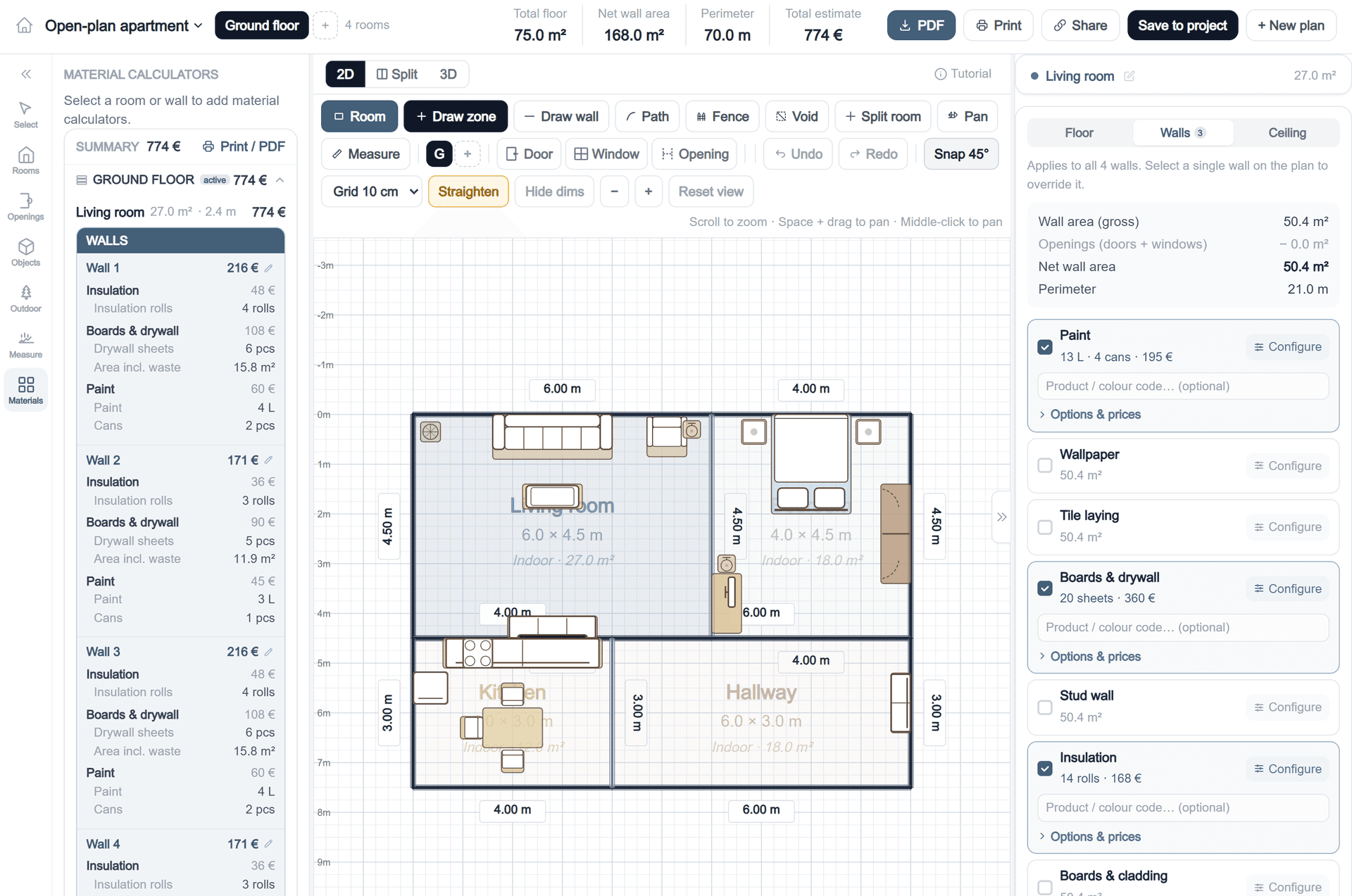
Draw the plan, then price what goes on it
Draw the rooms at the size they really are. Pick a wall, a floor or a ceiling, tick what goes on it — insulation, plasterboard, paint — and the quantities and the cost come straight off the drawing. Indoors and out.
- Tick a material and it prices itself from the measurements you drew
- Doors and windows come out of the wall area, so you budget the wall you will actually cover
- A running total per wall, per room and for the whole floor
- Outdoors too — decks, fences, paths and paving
Projects
Keep the whole job in one place
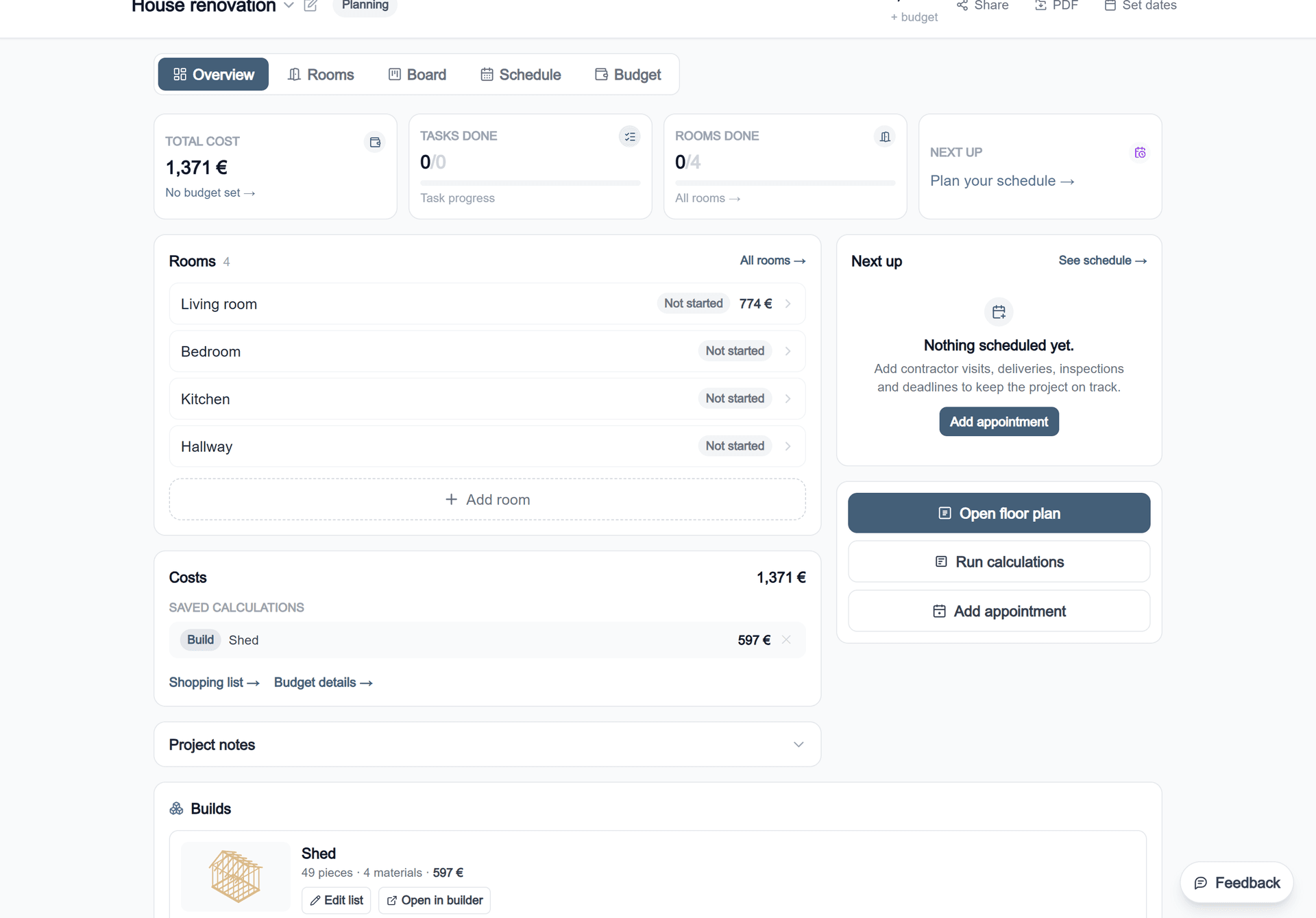
Rooms, calculations and builds land in one project with a running total. Set a budget, track what you actually spend against it, and take the shopping list to the merchant.
- Every room, calculation and build in one total
- Set a budget and track real spend against the estimate
- A shopping list, a schedule and a task board per room
- Export to PDF, or share the project as a link
Builder
Design it piece by piece, and get the cut list
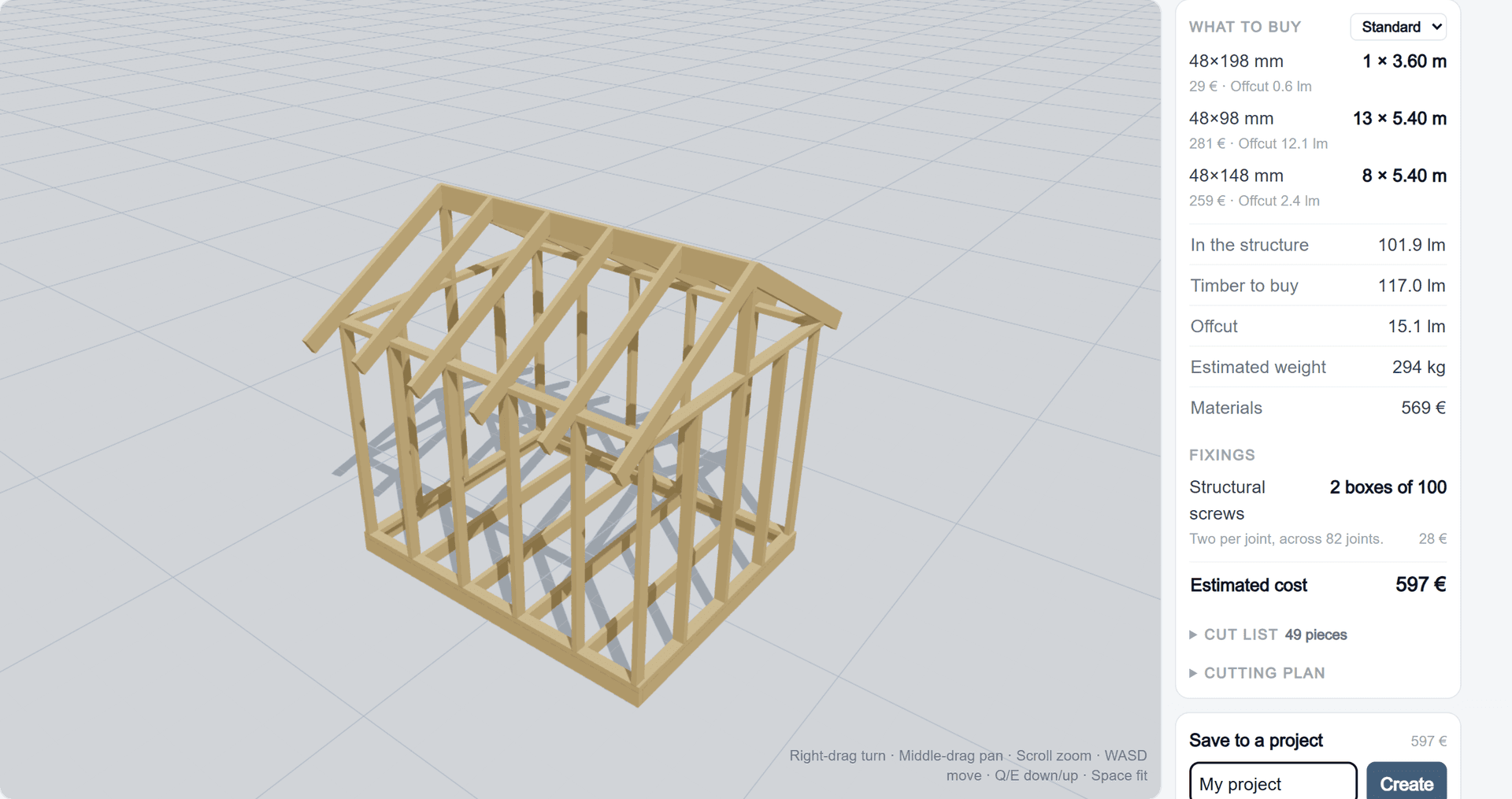
Draw a shed, a deck frame, a pergola or an outdoor gym in 3D. Every board is a real stock size at a real length, and the list of what to buy builds itself as you go.
- A cut list with every length and saw angle
- What to buy — stock lengths after nesting, not the cut list
- Screws and post bases counted, and the whole thing priced
All calculators
Use them standalone or save results into your project — your choice.
Structure
What holds the job up6 calculatorsDeck / Patio
Plan your deck from the ground up. Calculate decking boards, joists, posts, foundations and all brackets — suited for ground-level or raised construction.
Stud wall
From study to bedroom, or dividing a room. Calculate framing, insulation and plasterboard for interior stud walls.
Timber & lumber
Plan any mix of timber by the linear metre — battens, rafters, lekter, trim and more. Add tape and fasteners automatically.
Fence & picket
Calculate posts, boards and concrete for a driveway gate, garden fence or picket fence. With timber class guide and frost depth information.
Stairs
Calculate steps, materials and handrails for indoor and outdoor stairs to standard building code dimensions.
Foundation
Calculate concrete, rebar and formwork for strip and slab foundations — with frost depth in mind.
Envelope
Keeping the weather out6 calculatorsInsulation
Mineral wool, glass wool or EPS — calculate packs, vapour barrier and total cost. With building code references for walls, roofs and floors.
Boards & drywall
Calculate plasterboard sheets for walls and ceilings, including filler, primer and trims around edges and floors.
Boards & cladding
Count boards, waste and fasteners for exterior cladding, interior panelling or flooring — with adjustable gap spacing.
Roof & roofing
Calculate roof area, number of tiles, battens and underlay. Area allowance is calculated automatically from roof pitch.
Facade cladding
Calculate boards, battens, wind barrier and screws for external wall cladding — timber, fibre cement or other systems.
Exterior insulation
Calculate insulation boards, mechanical fixings and rail system for external wall insulation.
Wet trades
Anything mixed with water5 calculatorsConcrete
Calculate concrete volume for foundations, pad foundations, columns or slabs. Includes waste allowance and number of bags.
Render & plaster
Calculate base coat, finish coat, reinforcement mesh and primer for rendered facades — mineral, acrylic or silicone systems.
Paving stones
Calculate stones, bedding layer and jointing sand for driveways or patios. Adjustable for frost depth by region.
Floor preparation
Calculate screed, self-levelling compound and primer to get any subfloor flat and ready for the finished floor.
Masonry & brick
Calculate bricks or blocks, mortar and wall ties for garden walls, facades and internal masonry walls.
Surfaces
The part anyone will see4 calculatorsTile laying
Calculate tiles, adhesive, grout and membrane for bathrooms, kitchens and hallways — with waste and building code requirements included.
Paint & surfaces
Find the right amount of paint, primer and coats for walls, ceilings and facades. Adjust for coverage and number of coats.
Parquet & laminate
Calculate packs of parquet or laminate with correct waste per laying pattern. Includes underlay and expansion gaps.
Wallpaper
Calculate rolls and paste with correct waste for the pattern repeat — for a single wall or the whole room.
Guides
Know why, not just how much.
Written from the standards and the trade, with the clause numbers. No filler, and no affiliate list pretending to be advice.
Timber fastener spacing
Minimum nail, screw and bolt distances to Eurocode 5 and the NDS — and why the two standards disagree.
FundamentalsCalculating for a site
Take off from the drawings in build sequence: substructure, frame, envelope, finishes, external works.
WallsStud walls, properly
Centres, plate lengths, board coverage and the screw count — in both 600 mm and 16 in.
What you actually get
Free, and honest about it.
Everything above is free to use with nothing to sign. The Project Pass is €24.99 once for three months of saving, cloud backup and PDF export — no subscription, 14-day money-back.
Start with the room you are standing in.
Pick a calculator, type one measurement, and see the list. Nothing to install and no sign-up before you get an answer.